Connecting from your Logging Software
As well as a web interface and an HTTP API, this Spothole server has its own DX cluster node. You can connect to it from a traditional desktop logging program, or any other software that supports telnet DX clusters, and receive spots in the normal way.
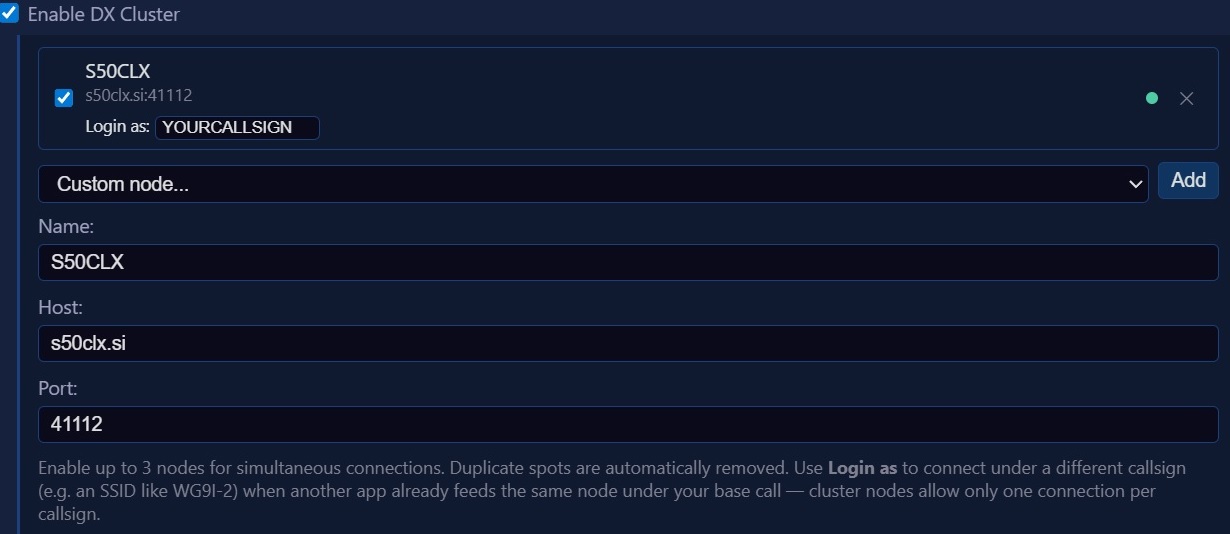
To connect, set up your logger with the server address s50clx.si and port
41112, and log in with your own callsign. You can also connect from a terminal
with telnet s50clx.si 41112.
The node runs DXSpider, so all the usual DXSpider commands are available,
for example to set up filters or look up past spots. Type help once you are logged in to find out
more.
What you will see
The spots you receive depend on how this server has been set up, and on your own settings.
DX cluster spots
The node is part of the worldwide DX cluster network, so you will receive the same spots as you would from any other cluster node. This includes spots sent to the cluster network through Spothole's "Add" page, if these are enabled.
Spots from Spothole's other sources
This server doesn't send spots from Spothole's other sources, such as POTA and SOTA, to its cluster node, so you will only see them if they are also posted separately to the DX cluster. To see all of this Spothole instance's spots, you will have to use the web interface or the API.
Adding your own spots
If you would like to add spots to the DX cluster network, and don't currently have a "home node", you can ask the sysop (administrator) to register you on this node, and then set a password for yourself that you will require to log in.
This will allow you to use the `dx` command to post spots from telnet or from your desktop logging application. You
will then also be able to post spots to the cluster from Spothole's web UI or third-party API, by using the node
address s50clx.si:41112, your registered callsign and password.